
Since DASTrader version 5.7.9.7 we can draw colored lines as a parameter
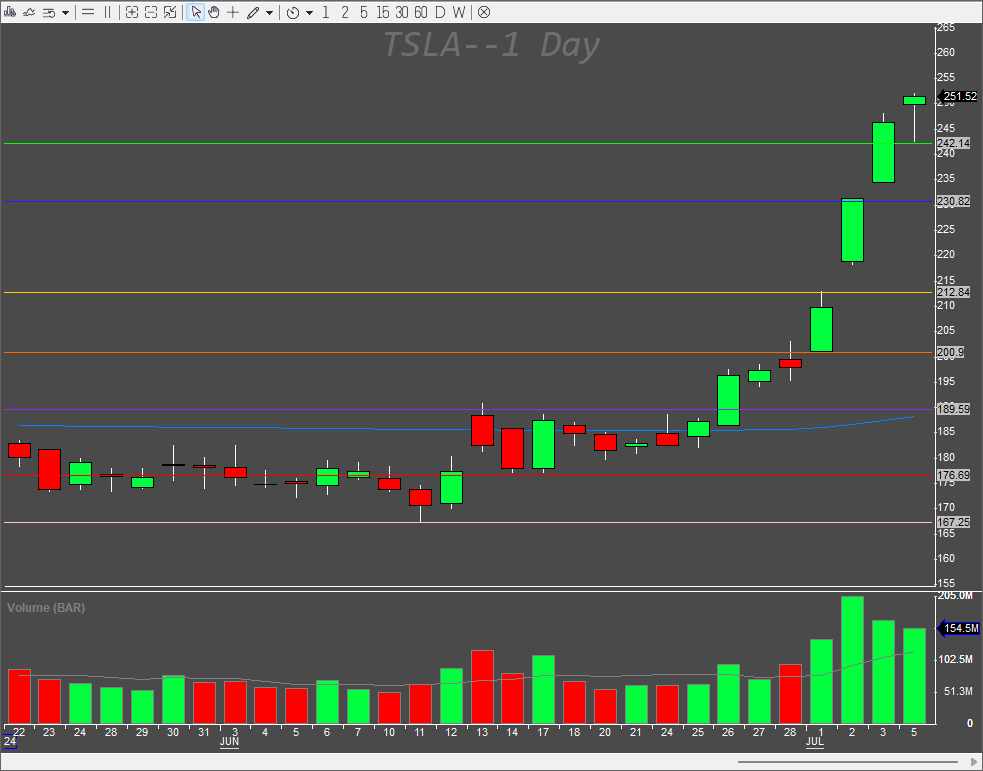
The hotkey syntax is very simple
DrawHorzLineWithPrice($myprice,color("blue"));The problem with this syntax is that we might not like that kind of blue, and we do not know what colors does DASTrader recognize. If you use an unknown color name, you will get a default colored line (black); For this, it is better to use RGB color codes to get any color from the RGB scale. You can get the RGB color numbers on any color picker website. The RGB color code syntax is as follows.
DrawHorzLineWithPrice($myprice,color(32,32,255));The color is a general function, so it can be used for other coloring in DASTrader. You can then make a hotkey for each color. It is especially nice and easy with StreamDeck
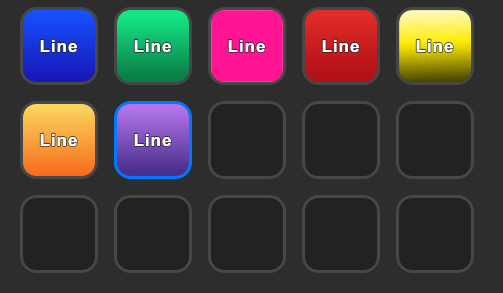
To populate the $myprice variable with the price we want to draw the lines at is also simple. If we have enabled double click to trade, we can just assign the clicked PRICE to the variable like this
$myprice=PRICE;If we like, we can assign the $myprice calculation based on any indicator, other variable, or constant value as well. To put it together as on the pictures above, we need to create 7 separate hotkeys. To be able to draw a line to a chart, the focus window needs to be a chart window. So if we do hot buttons which are present on the montage, by clicking the button we lose the focus as the window in focus will be always the montage window. This has to be treated with the FOCUSWINDOW function, which needs to be called before the DrawHorzLineWithPrice funcion. To be able to focus any chart window, we need to name the chart window first. To name the chart window (or any other window) just right-click the window header and edit the corresponding Name field
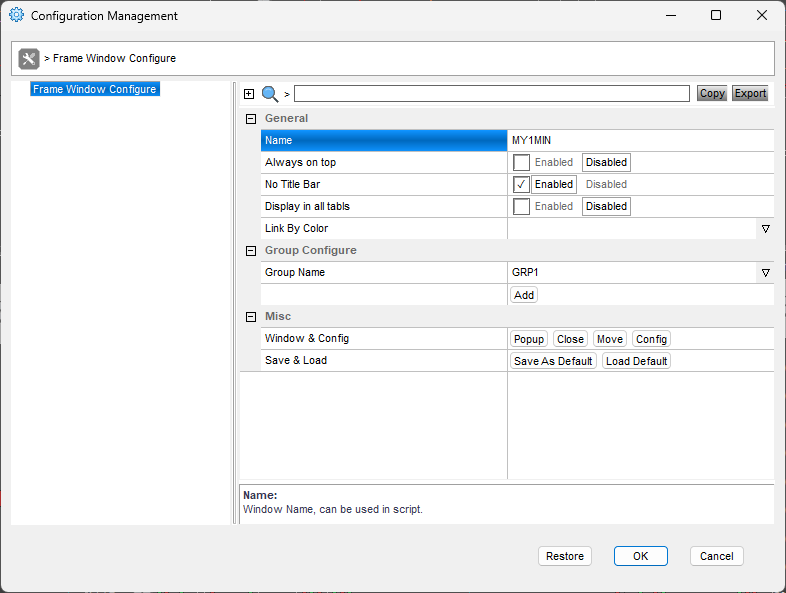
Always remember that the window names should be unique for any script to work properly.
Hotkey to add a blue line to the charts.
$myprice=PRICE;FOCUSWINDOW "MY1MIN";DrawHorzLineWithPrice($myprice,color(32,32,255));Hotkey to add a green line to the charts.
$myprice=PRICE;FOCUSWINDOW "MY1MIN";DrawHorzLineWithPrice($myprice,color(0,255,0));Hotkey to add a pink line to the charts.
$myprice=PRICE;FOCUSWINDOW "MY1MIN";DrawHorzLineWithPrice($myprice,color(255,192,203));Hotkey to add a red line to the charts.
$myprice=PRICE;FOCUSWINDOW "MY1MIN";DrawHorzLineWithPrice($myprice,color(255,0,0));Hotkey to add a yellow line to the charts.
$myprice=PRICE;FOCUSWINDOW "MY1MIN";DrawHorzLineWithPrice($myprice,color(255,204,0));Hotkey to add an orange line to the charts.
$myprice=PRICE;FOCUSWINDOW "MY1MIN";DrawHorzLineWithPrice($myprice,color(255,102,0));Hotkey to add a purple line to the charts.
$myprice=PRICE;FOCUSWINDOW "MY1MIN";DrawHorzLineWithPrice($myprice,color(160,32,240));The corresponding part of the hotkeys window looks like this

You can use the same code for your montage buttons

Limitations
There is a hard limit in DASTrader for the maximum number of lines. Once you reach that limit, you cannot do any new lines and you get an error message.
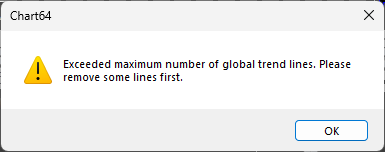
You can edit the limit in the Trading Settings section
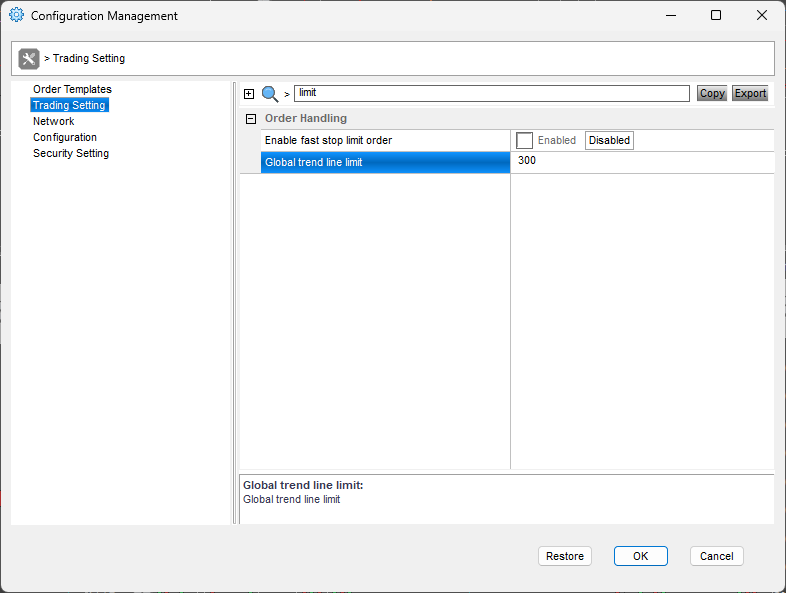
It is useful to have a hotkey for deleting all the lines. We need to be in a chart window, so we treat it with the FocusWindow function first.
This will delete all the lines for the currently selected symbol
FocusWindow "MY1MIN";
RemoveALLLines;
We can delete also all lines for all symbols at once
FOCUSWINDOW "MY1MIN";
RemoveALLLines AllSymbols;
Other use cases
We can have the color as a parameter and use a single hotkey to draw the lines. This might be handy if you like to train your brain to press the same buttons all the time. You can set the color visually in your montage with color buttons. That would be a two-step process.
- set the desired color
- draw the line
To set the desired color, we can just use the custom variable like this
$mycolor="blue";or
$mycolor="32,32,255";Then use the $mycolor variable as the parameter in our hotkey.
FOCUSWINDOW "MY1MIN";
DrawHorzLineWithPrice(PRICE,color($mycolor));
Different window addressing
With custom objects variables, we can address the windows without the FOCUSWINDOW command like this
getwindowsobj("MY1MIN").DrawHorzLineWithPrice(PRICE,color($mycolor));to prevent repetition, we can create the window object like this
$MY1MINWINDOW=getwindowsobj("MY1MIN");
and then reference it in the code like this
$MY1MINWINDOW.DrawHorzLineWithPrice(PRICE,color($mycolor));
That requires the window to be named (MY1MIN in this case).