
Since few versions back, we can save the variables into a file. This is useful for
- preventing data loss in case of DAS Trader pro or PC restart
- data manipulation outside DAS Trader pro and import back the new values
The function itself is simple as
savevartofile(name);
where name represents the name of the file to be saved. The file is saved into the DAS Trader Pro installation folder and the format of the file is like this
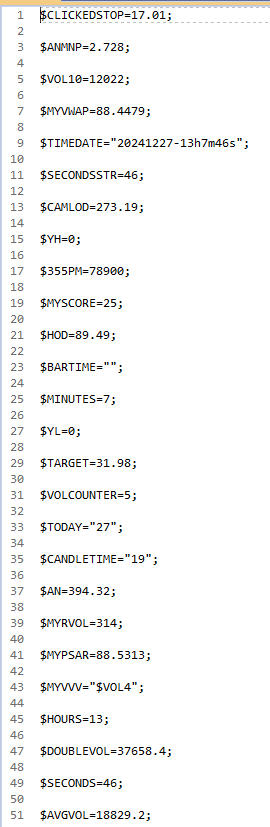
So if you need to edit for example the $TODAY variable having the value “27” you just change the value in the text file.
After that you need to load the variables from the file with
loadvarfromfile(name);I personally save the variables on each order fill like this
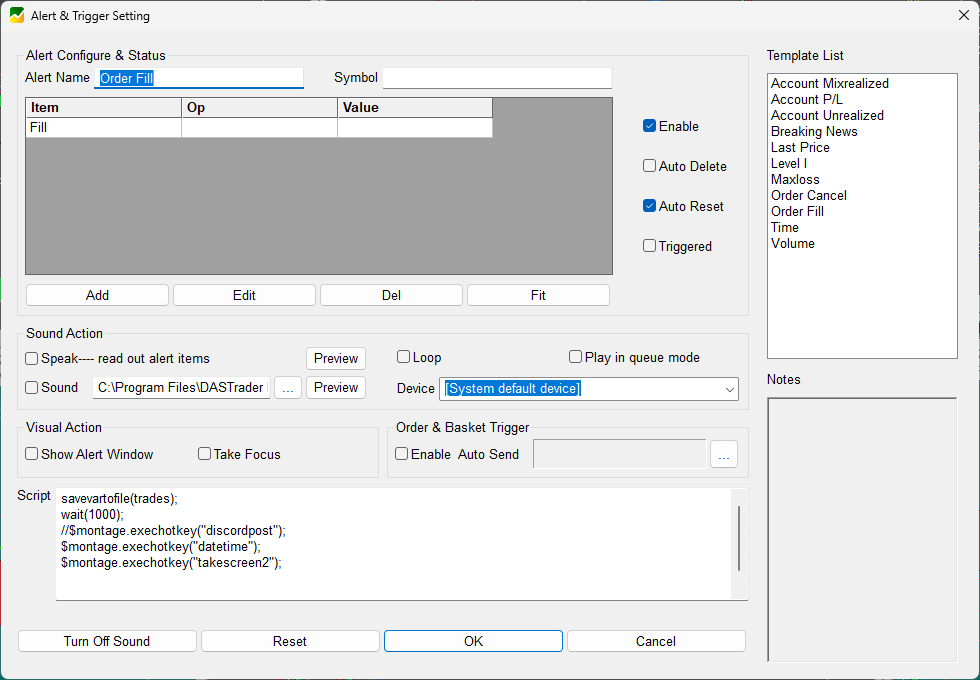
and load the variables on each desktop load like this
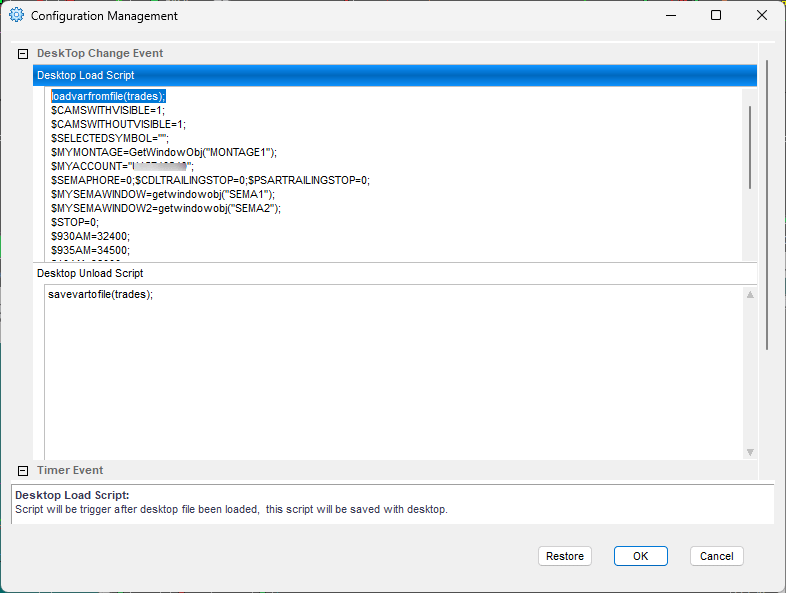
The real value is in the possibility to edit the file with external program and let the DAS Trader Pro load the values from there.